
Analysis of existing workflows
I look at how processes currently work, where time is being lost, and where media breaks, manual intermediate steps, or duplicated work occur.
I help small and medium-sized businesses and organizations turn time-consuming administrative and business processes into lean, practical software solutions — resulting in less manual effort, fewer errors, and more time for the actual business. Experience in ERP, quality management, integration, mobile processes, and the digitalization of existing workflows.
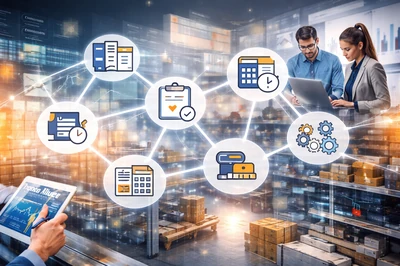
Not every process has to be handled with standard software, Excel spreadsheets, and manual intermediate steps. When data is entered multiple times, information moves back and forth between tables, emails, and individual tools, or when too much time is spent on repetitive routine tasks, unnecessary effort builds up in day-to-day operations.
This is exactly where I come in: I analyze existing workflows, identify bottlenecks, and develop practical software solutions that simplify processes, combine work steps, and noticeably reduce administrative effort.
This type of support is especially useful if, in your company or organization:
I look at how processes currently work, where time is being lost, and where media breaks, manual intermediate steps, or duplicated work occur.
I develop software solutions that are based on real requirements — not the other way around.
Recurring inputs, status changes, data transfers, or administrative routines can often be significantly simplified or automated.
Instead of distributing data across different files, emails, or isolated solutions, central and traceable workflows can be created.
Not everything has to be replaced at once. In many cases, it makes more sense to start with a clearly defined area and expand the solution step by step.
Typical topics include not only administration and billing, but also planning, quality, mobile processes, data flows, and the gradual digitalization of existing workflows.
With a suitable software solution, for example, it is possible to:
The goal is not “digitalization for the sake of digitalization,” but a solution that genuinely relieves day-to-day work and makes economic sense.
Depending on the company, it is not about “one big software solution,” but about very specific everyday bottlenecks: too much manual work, duplicate data entry, unclear workflows, poorly connected systems, or processes that standard software cannot adequately support. This is exactly where I step in — with practical solutions that simplify workflows, bring information together, and reduce repetitive work. The basis for this includes projects in ERP, administration, finance, quality management, warehouse processes, inventory, order capture, integration, and process automation across different industries.
The specific solution always depends on the existing workflows, the people involved, and the systems already in place. The goal is not unnecessarily complex software, but practical support that provides noticeable relief in everyday work.
Selected example pages show what these solutions can look like in practice – from commercial workflows and planning to quality management and mobile processes.
The following practical examples show selected excerpts and illustrate how such solutions can concretely support operations.
Together, we clarify how processes are currently organized and where the greatest friction points lie.
I assess which steps can be simplified, combined, or automated.
The solution is based on your actual workflows and on what makes sense economically.
A clearly defined starting point is often the best approach — with faster benefits and lower risk.
Where appropriate, the solution can later be expanded, adapted, or connected with additional processes.
I do not view software purely from a technical perspective, but always in connection with real business processes. Good solutions do not start with features, but with an understanding of responsibilities, information flows, and economically sensible processes.
Thanks to my experience in development, quality management, and process analysis, I recognize not only technical requirements, but also organizational relationships, weak points, and improvement potential. This results in solutions that are understandable, practical, and genuinely helpful in everyday work.
In addition to technical implementation, I also bring experience in quality management, audits, process responsibility, and commercial-organizational workflows. This means that not only software aspects are considered, but also structure, traceability, and the focus on concrete business value.
I support you in analyzing existing processes and turning them into a practical software solution — step by step, clearly, and with a focus on real value in day-to-day operations.
Briefly describe which task, program or workflow currently takes too much time. You do not need a technical specification for the first step.
The most important points about manual workflows, Excel lists, recurring tasks, data flows and pragmatic process automation in a company.
In principle, any workflows are suitable where data is regularly entered, checked, transferred, evaluated or passed on between several systems. Typical examples include administration, invoicing, planning, quality management, warehouse processes, inventory, order entry, data imports or recurring internal routines.
No. It is often more sensible to start with a clearly defined area and improve it step by step. This creates practical benefits more quickly, while effort, risk and complexity remain manageable.
Yes. Existing Excel lists, manual work steps and established workflows can serve as the starting point. I analyze which information is really needed, where duplicate work occurs and how a more stable and traceable solution can be created from it.
The goal is not digitization for its own sake, but noticeable relief in everyday work. Recurring tasks should become simpler, faster and less error-prone, leaving more time for the actual business.
Yes. Data from different files, applications, databases or external systems can be combined or processed automatically. This reduces manual intermediate steps and makes information available in a more central, traceable and reliable way.
First, the existing workflows, responsibilities and bottlenecks are examined. After that, a pragmatic solution is designed, implemented step by step and, if needed, later extended or connected with further processes.