
Software for small companies
Practical solutions for small companies that want to simplify workflows, reduce manual work, or bring more structure to data, tasks, and processes.
Learn moreI help companies take over existing software solutions, stabilize them, and pragmatically evolve them. My focus is on established business applications, desktop software, Windows services, interfaces, and database-driven solutions.
Instead of risky complete redevelopment, I rely on thorough analysis, targeted improvements, and step-by-step modernization during ongoing operations. This keeps business-critical systems stable, maintainable, and usable.
For larger projects, I can assemble a suitable team of trusted partners if needed — aligned with the technology, scope, and timeline.
Also for smaller companies
Not every company needs a large software project. I also support smaller companies with simple websites, small software tools, desktop applications, web solutions, Excel automation, and the simplification of recurring workflows.
You do not need to know which technology is required for this. Often, a short description is enough: what is currently done manually, where time is lost, or which workflow should work more easily.
Practical solutions for small companies that want to simplify workflows, reduce manual work, or bring more structure to data, tasks, and processes.
Learn moreSmall desktop applications and helper tools for recurring tasks, data checks, imports, exports, printing functions, or internal workflows.
View examplesSimple, professional company websites for small businesses, self-employed professionals, and service providers – without unnecessary technology and with a clear structure.
View websiteAutomation of Excel files, CSV imports, data checks, list comparisons, PDF creation, and recurring office work.
View automationExisting Systems & Business Processes
In addition to small tools and websites, I also support companies with existing applications, interfaces, databases, modernization and technical solutions for established processes.
I quickly familiarize myself with existing systems, solve problems, stabilize critical functions, and make long-grown software understandable and maintainable again.
Step-by-step modernization instead of risky full redevelopment: refactoring, reducing technical debt, migrating individual components, and making meaningful improvements during ongoing operations.
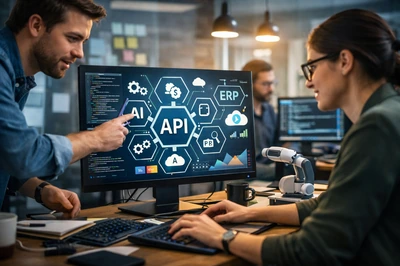
Connecting ERP, CRM, accounting, devices, web services, and APIs so that data flows reliably between systems and media disruptions are eliminated.
Development and enhancement of business applications on Windows — from classic desktop solutions to services and system-level components.
Fixing errors, extending functionality, improving performance, and supporting systems over the long term — in a planned, transparent, and low-risk way.
Structuring requirements, evaluating existing systems, identifying risks, and defining pragmatic solutions for further development or expansion.
Briefly describe what it’s about. A technical specification is not required — a few sentences about the current workflow are enough for the first step.
The key points about existing software, modernization, interfaces, small tools, and technical support during ongoing operations.
Yes. I familiarize myself with existing applications, analyze their structure, data flows and critical functions, and help make the software more stable, understandable and maintainable again.
No. In many cases, gradual modernization is more sensible than a complete redevelopment. Individual areas are improved in a targeted way, technical debt is reduced, and important functions are preserved during ongoing operations.
Yes. Not every task has to be a large software project. Small tools, Excel automations, data imports, reports, websites or individual improvements to existing workflows can also be useful.
No. For the first step, a short description of the current situation, the problem or the desired goal is usually enough. Technical details, possible solutions and the sensible scope can then be clarified together.
Yes. I support interfaces, data imports, exports, web services, APIs and the connection of existing systems such as ERP, CRM, accounting or internal specialist applications. The aim is to make data flow more reliably and reduce manual intermediate steps.
I handle many tasks directly myself. For larger projects, I can put together a suitable team of trusted partners if required – matched to the technology, scope and schedule.