Small Software Tools for Businesses

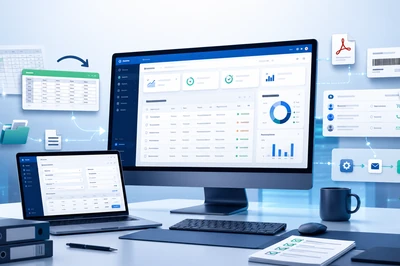
Not every business needs a large software project. Often, a small, purpose-built program is enough to simplify a recurring task, process data or reduce manual work steps.

I develop small desktop programs, internal tools and practical utility programs for businesses — clearly planned, individually implemented and tailored to your existing workflows.

Which businesses is this useful for?

Many small and medium-sized businesses work with Excel lists, email attachments, manual checks or old programs. This often works well for a long time — until processes take too much time, errors occur or nobody has a clear overview anymore.

This is exactly where small software tools can help: they solve a specific problem without requiring the introduction of a large system.

Suitable for:
  • small businesses
  • trade businesses
  • service providers
  • offices and administration departments
  • warehouses and retail businesses
  • production and quality assurance
  • businesses with existing Excel or database solutions
  • companies with old Windows software

Typical Examples

1. Excel Import and Excel Automation

When Excel files need to be checked, merged or processed regularly, a small tool can take over many manual steps.

Examples:
  • read Excel files
  • merge multiple spreadsheets
  • validate data
  • check required fields
  • find duplicate entries
  • highlight errors
  • prepare data for another system
  • generate automatic Excel outputs

Instead of manually repeating the same Excel steps every week, a small program performs this work reliably and transparently.

2. Data Validation and List Comparison

Many errors are not caused by missing data, but by confusing lists, different versions or manual checks.

Examples:
  • compare price lists
  • match item lists
  • check customer data
  • find missing values
  • detect invalid numbers
  • compare old and new data versions
  • output differences as a report

A validation or comparison tool helps detect errors earlier and perform routine checks faster.

3. Import, Export and Conversion Tools

Data is often available in the wrong format: Excel, CSV, XML, text files, PDF or database exports. A small tool can automatically convert or prepare this data.

Examples:
  • convert CSV to Excel
  • export Excel to CSV
  • create XML files
  • prepare data for accounting or inventory management
  • automatically name PDF files
  • read files from folders
  • structure database exports
  • automate recurring file processing

When data regularly has to be converted from one format to another, a small conversion tool is often worthwhile.

4. Printing, Label and PDF Tools

Some businesses regularly create labels, lists, forms or PDF documents. This can often be made much simpler as well.

Examples:
  • print product labels
  • create barcode or QR code labels
  • prepare shipping labels
  • create PDF quotations
  • generate simple delivery notes
  • generate lists from data
  • automatically name and file documents

A printing or PDF tool ensures that documents are created consistently and require less manual follow-up work.

5. Small Administration Programs

When Excel lists become too confusing, a small administration program can provide more structure.

Examples:
  • customer management
  • order management
  • device management
  • item management
  • simple warehouse management
  • complaint management
  • task or process management
  • internal notes and status tracking

A small administration program contains exactly the functions your business really needs — no more and no less.

6. Quotation and Calculation Tools

When prices, surcharges, discounts or project costs need to be calculated regularly, a custom calculation tool can prevent errors and save time.

Examples:
  • calculate quotation prices
  • calculate material and working time
  • include discounts and surcharges
  • reuse standard items
  • create PDF quotations
  • manage calculation rules centrally

A calculation tool helps create quotations faster and more consistently.

7. Internal Utility Programs for Employees

Often it is the small everyday tasks that take up a lot of time. Small tools are particularly well suited for exactly this.

Examples:
  • simple input form for recurring processes
  • search form for internal data
  • automatic file naming
  • automatically create folder structures
  • generate daily reports
  • digitize checklists
  • create small analyses
  • start recurring workflows at the push of a button

Small utility programs make everyday work easier without requiring the introduction of a large system.

Desktop Program, Web Tool or Both?

Depending on the task, a small tool can be implemented as a Windows desktop program, an internal web application or a combination of both.

A desktop program is well suited for

  • local files
  • Excel processing
  • printing functions
  • existing Windows workstations
  • database access within the company network
  • programs with a direct user interface

A web tool is well suited for

  • access from multiple workstations
  • simple internal forms
  • central data management
  • customer or employee areas
  • forms and online inquiries
  • later access while on the move

Desktop Program, Web Tool or Both?

  • local processing plus online synchronization
  • field service or mobile devices
  • local database plus remote system
  • synchronization between locations

How does a small tool project work?

1. Describe the problem

You briefly explain which task is currently done manually, where time is lost or where errors occur.

2. Understand the workflow

Together we clarify which data is available, which steps are required and what result should be produced in the end.

3. Plan a small solution

After that, we decide whether a desktop program, a web tool, an import/export tool or another solution makes sense.

4. Implementation

The tool is developed to match the actual workflow.

5. Testing and adjustment

After the first tests, details can be adjusted so that the program really helps in everyday work.

Benefits of Small Software Tools

  • less manual work
  • fewer errors
  • faster processes
  • better overview
  • clear data structures
  • traceable results
  • no unnecessarily large software
  • custom solution instead of standard software with too many functions
  • can be expanded later

Typical Starting Situations

These sentences are important because small businesses recognize themselves in them:

  • We currently do all of this in Excel.
  • Every week we copy the same data back and forth.
  • We regularly need to compare lists.
  • Our employees enter data twice.
  • We actually only need a small program for this one workflow.
  • Our old program still works, but it needs an extension.
  • We do not know which software we need, but the workflow takes too much time.

Personal Trust Section

I have been developing software for businesses for over 30 years — from small utility programs and desktop applications to more extensive administration, CRM and ERP solutions.

This means I know not only the technical side, but also typical business workflows: entering, checking, processing, synchronizing and analyzing data, and making it easier for employees to use.

Do you have a task that should work more easily?

You do not need a finished technical specification. Simply describe briefly what you currently do manually, which data is used and what result you need. This often makes it possible to quickly see whether a small tool makes sense.

Request a Small Tool