
Missing contact person
The original developer is no longer available or no longer knows the project in detail.
Legacy Software Tools
Many businesses use internal programs, database solutions or small custom tools that have grown over many years. They often still work, but are difficult to maintain, poorly documented or only usable with many workarounds.
Before replacing such a tool, it is worth understanding what it really does: Which workflows depend on it? Which data matters? Which functions are used every day? And what should be improved, migrated or rebuilt?
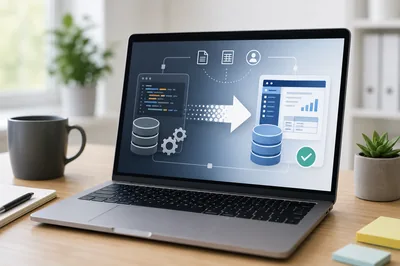
Starting point
Internal software often starts with a specific need. First it is a small helper tool, later new functions, special cases, exports, lists, print features or interfaces are added.
After a few years, it often becomes an important business tool, even if it was never planned as a long-term system from a technical point of view. That is why a full replacement without analysis can be risky.
The first step is not automatically a rebuild, but a sober analysis.
Typical situations
Often the problem is not that an old tool no longer works at all. The problem is that nobody really knows how secure, maintainable and future-proof it still is.
The original developer is no longer available or no longer knows the project in detail.
The program is based on older frameworks, old databases, old Windows versions or components that are no longer maintained.
New functions are needed, but nobody knows where to make changes safely.
Employees use workarounds, duplicate entries or manual intermediate steps because the tool no longer matches today's workflow.
Files, databases, exports or interfaces have grown over time and are no longer clearly documented.
It is unclear whether maintenance, migration, porting or a rebuild is the sensible path.
Analysis
With old tools, it is usually not wise to start with a rebuild immediately. First it should be clear what exists, what is really used and where the biggest risks or friction points are.
This preserves valuable business knowledge: special cases, data structures, workflows and small details that were often never documented properly.
Possible paths
The right option does not depend on technology alone. It matters how deeply the tool is embedded in daily work, which data depends on it and how safely changes can be controlled.
If the tool basically works, it can make sense to secure it, document it and fix small problems first.
If the foundation is still usable, individual functions can be added without rebuilding the whole system.
If the business logic is good but the technical foundation is outdated, migration can be the right middle path.
If the old solution is no longer viable, a rebuild can make sense.
A good rebuild does not copy every old detour, but it also does not ignore the knowledge contained in the old tool.
Migration
Migration is not just about recreating an old program in a new technology.
Often it is the chance to simplify workflows, structure data more clearly and remove unnecessary detours.
Practice
This page is deliberately broader than C++/MFC. It fits grown special-purpose solutions, old database programs and small tools that have become important in daily operations.
Decision aid
Starting point
Not everything has to be solved at once. A structured review is often enough to see what already works, where the risks are and which change would bring the greatest benefit.
Do you use an old program, a grown database solution or an internal tool that is difficult to maintain? Briefly describe what the tool is used for and where it causes problems today. This usually makes it possible to estimate whether maintenance, migration or a rebuild makes sense.
Short answers about analysis, migration, ongoing maintenance and rebuilding existing internal programs.
No. Many old tools can be maintained, stabilized or extended selectively. A review should usually come first so that effort and risk can be estimated realistically.
Migration makes sense when the business logic still fits, but the technical foundation is outdated or the tool is tied to an old environment.
Yes. Existing Excel, Access or VBA solutions can be analyzed, stabilized, extended or gradually moved into a new desktop or web solution.
Existing data is first understood and checked. Then it can be decided whether it should be cleaned up, transferred, archived or migrated into a new data model.
That depends on the technology, source code, data basis and dependencies. Stabilization, small extensions or a controlled port are often possible.
At the beginning, a short description of the tool, typical inputs and outputs, known problems and the workflows that depend on it are usually enough.